There is a phrase you hear constantly in crypto: not your keys, not your coins.
I heard it for months before I truly understood what it meant. And then I did understand — and I went and bought a Ledger the same week. Because once you grasp that your crypto sitting on an exchange is not really yours in the fullest sense, and that exchanges can be hacked, go bankrupt, or freeze your funds, the decision to move to cold storage becomes obvious.
This article walks you through exactly how to secure your crypto with a Ledger hardware wallet — from choosing the right device to setting it up safely to the daily habits that keep your assets protected long term.
- A hardware wallet stores your private keys completely offline — out of reach of hackers, malware, and exchange collapses.
- Always buy directly from ledger.com. Never buy second-hand or from a third-party marketplace.
- Your 24-word recovery phrase is the master key to everything. Write it on paper, store it somewhere physically secure, and never share it with anyone.
- Always verify transaction details on the Ledger device screen itself — not on your computer or phone.
- Ledger will never ask for your recovery phrase. Anyone who does is a scammer.
Why Hardware Wallets Still Matter in 2026

Despite all the new security tools and platforms that have emerged over the past few years, hardware wallets have not lost their relevance. If anything they have become more important. The fundamental problem with keeping crypto on exchanges or software wallets is that they are always connected to the internet — which means they are permanently exposed to potential attacks.https://yadala.io/what-is-a-crypto-wallet/
In 2026 the threat landscape has evolved significantly. AI-powered phishing attacks can convincingly mimic legitimate platforms. Exchange hacks and insolvencies have reminded the crypto community that custodial platforms can and do fail. When your crypto sits on an exchange, you are trusting that company to keep your funds safe. History has shown that trust is not always warranted.
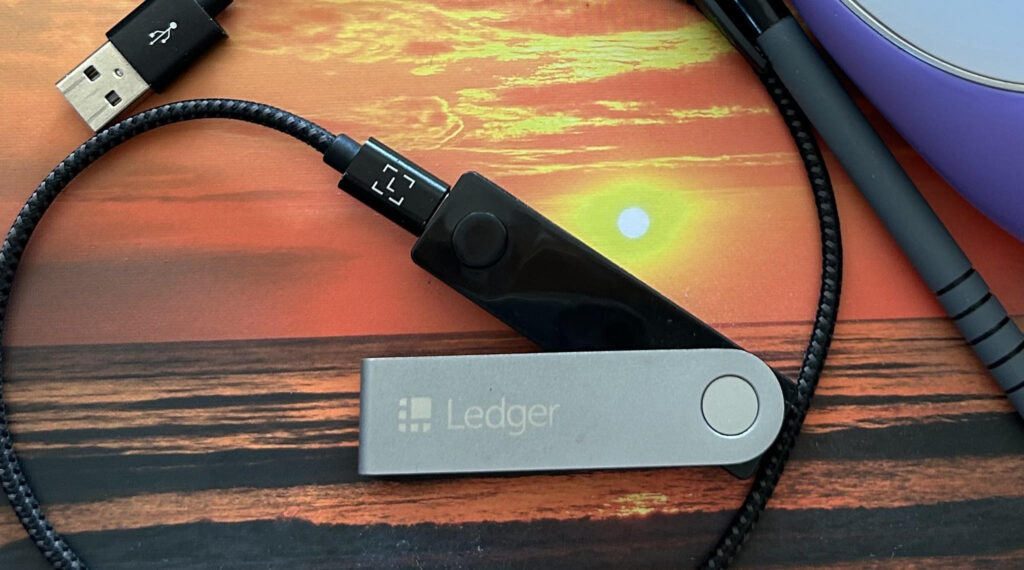
A hardware wallet like Ledger solves this at the root level. Your private keys are generated and stored entirely offline within the device’s secure element chip — they never touch the internet. Even if your computer is completely compromised by malware, an attacker cannot extract your private keys from a Ledger device. This cold storage approach is the gold standard in personal crypto security. If you want to understand how wallets work before you set one up, our complete crypto wallet guide covers the full picture.
This Is the Wallet I Use to Keep My Bitcoin Safe.
Get My Ledger Now →Choosing the Right Ledger Device
Ledger offers a range of hardware wallet models and picking the right one depends on how you use crypto and how much you want to invest in your setup.
The Ledger Nano S Plus is the solid entry-level option — dependable cold storage at an accessible price, supporting thousands of cryptocurrencies and integrating seamlessly with Ledger Live. If you are just getting started or your portfolio is relatively straightforward, this is a perfectly capable device.
For more active users, the Ledger Nano X is worth the upgrade. It has Bluetooth connectivity so you can manage your crypto on the go via your smartphone. Larger memory means you can install more apps simultaneously — a practical advantage if you regularly work across multiple blockchains. Our Ledger Nano X vs Nano S Plus comparison breaks down exactly which one suits your needs.
Whatever you choose — always buy directly from ledger.com or an authorised reseller. Never buy a used hardware wallet or one from an unverified third-party seller. Receiving a pre-configured device is one of the oldest crypto scams in the book.


Setting Up Your Ledger Wallet Step by Step
Getting your Ledger set up correctly from the beginning is crucial. Cutting corners during initial setup can undermine the entire point of having a hardware wallet.
When you first power on your device, choose “set up as new device” and follow the on-screen instructions. The device will generate a 24-word recovery phrase — the master key to all your crypto assets. Write down every single word, in the exact order shown, on the recovery sheet provided in the box. Double-check each word against what is displayed on the device screen before moving on.
Once your recovery phrase is secured, set a PIN code for the device. Choose something memorable but not obvious. Then download Ledger Live on your computer or smartphone and follow the pairing instructions. Install the apps for whichever blockchains you use — Bitcoin, Ethereum, Solana — and create your wallet addresses.
Before transferring any significant amount of crypto to your new wallet, do a small test transaction first to confirm everything is working correctly. It is a simple step that saves a lot of stress.
New articles, straight to your inbox.
Whether you’re just curious or already investing, you belong here.
Join HereDaily Habits That Keep Your Crypto Safe
Owning a Ledger is a fantastic first step but it is not a set-it-and-forget-it solution. How you use it every day matters.
Always verify transaction details on the Ledger device screen itself — not on your computer or phone. When you initiate a transaction, your Ledger will display the recipient address and amount before you confirm. Take a moment to read those details carefully. Malware can sometimes swap out wallet addresses on your computer screen, but it cannot alter what is shown on the hardware device.
Keep your Ledger Live software and device firmware updated. Ledger regularly pushes updates that patch security vulnerabilities and add new features. Always verify firmware updates through the official Ledger Live app — never accept prompts to update from a website, email, or pop-up you were not expecting.
Be extremely cautious about where and how you discuss your crypto holdings. Social engineering attacks — where criminals manipulate people psychologically rather than technically — are among the most effective methods used to steal crypto. Do not post about your portfolio publicly. Be sceptical of anyone who reaches out to offer unsolicited help with your Ledger device. Ledger’s official support team will never ask for your 24-word recovery phrase. If anyone ever does, it is a scam. Our crypto scam article covers exactly what these attacks look like so you can recognise them.



What to Do If You Lose Your Ledger Device
Losing your Ledger can feel like a stomach-dropping moment but here is the reassuring truth — the device itself is not where your crypto lives. Your assets are on the blockchain, and access to them is controlled by your private keys, which are derived from your 24-word recovery phrase. As long as you have that phrase safely stored, you can recover everything.
If your device is lost or stolen, transfer your crypto to a new wallet address as soon as possible. Buy a new Ledger, restore your wallet using your recovery phrase, then immediately send your assets to a freshly generated wallet address. Once your funds are secure, review how your recovery phrase is stored. Not in a photo on your phone, not in a cloud document, not anywhere connected to the internet. Consider keeping a backup in two physically separate locations.
Losing a device is inconvenient. With a properly secured recovery phrase, it does not have to be a financial disaster.
Securing your crypto does not require a technical background. It mostly requires good habits and the right tools. A Ledger hardware wallet gives you a genuinely robust foundation — your private keys completely offline and away from the vulnerabilities that plague internet-connected alternatives. Set things up properly, stay consistent, and you will be in a far better position than most crypto holders out there.
New articles, straight to your inbox.
Whether you’re just curious or already investing, you belong here.
Join HereFrequently Asked Questions
Do I really need a hardware wallet? If you hold any amount of crypto you would genuinely miss losing, yes. Leaving it on an exchange means someone else controls your private keys. A hardware wallet puts that control in your hands. You do not need one on your first day, but you should have a plan to move your funds as your holdings grow.
What happens if I lose my recovery phrase? If you lose both your device and your recovery phrase, your crypto is gone permanently. There is no customer service line, no recovery process. This is why storing your recovery phrase safely is the single most important habit you can build from day one.
Is Bluetooth on the Ledger Nano X safe? Yes. Bluetooth on the Nano X only transmits public data — your private keys never leave the device under any circumstances. Even if the Bluetooth connection were intercepted, an attacker could not access your funds without physical access to the device and your PIN.
Can I store multiple cryptocurrencies on one Ledger? Yes — Ledger devices support thousands of cryptocurrencies. You install individual coin apps through Ledger Live for each currency you want to manage, and all accounts are tied to your single 24-word recovery phrase.
Will Ledger ever ask for my recovery phrase? Never. Anyone asking for your recovery phrase — by email, phone, social media, or any other channel — is a scammer. This applies even if they claim to be from Ledger support.
How often should I update my Ledger firmware? Update whenever Ledger Live notifies you of an available update. Firmware updates patch security vulnerabilities and are strongly recommended. Always update through the official Ledger Live app only.
Not Sure Where to Start? Grab My Free Crypto Starter Guide.
Get the Guide Now →Sources
Ledger — Official Setup Guide: ledger.com/start Ledger Academy — How Hardware Wallets Work: ledger.com/academy CoinDesk — Hardware Wallet Security: coindesk.com Investopedia — What Is a Hardware Wallet: investopedia.com CoinTelegraph — Crypto Security Best Practices: cointelegraph.com

Written by Yana Ballantyne
Founder of Yadala · Crypto Educator · Swiss Real Estate Advisor
Yana is a German-born, Australia-raised investor with two decades of experience across property, shares and crypto. She founded Yadala to make crypto simple and accessible for women — without the jargon or the overwhelm. She recommends platforms she believes in but will never tell you which coin to buy. That decision is always yours.

Disclaimer & Affiliate Disclosure
This article contains affiliate links. If you purchase through these links, I may earn a small commission at no extra cost to you. I only recommend products and services I personally use and genuinely believe in. Your support helps me keep Yadala running and free to read — thank you.
The content on Yadala is for informational and educational purposes only. Nothing here constitutes financial, investment, or legal advice. I am not a licensed financial advisor. All opinions expressed are my own personal views based on my own research at the time of writing.
Cryptocurrency and Bitcoin investments are highly volatile and speculative. The value of digital assets can rise and fall dramatically, and you could lose your entire investment. Regulatory changes may also significantly impact the value or legality of cryptocurrency in your country. Never invest more than you can afford to lose completely.
Yadala and its author accept no liability for any financial loss or damage arising from decisions made based on information in this article. Always conduct your own research and consult a qualified financial advisor before making any investment decisions.